Entry #9
2026-06-20
4 min read
Accessibility isn't a feature
The featured moment
Recently, I was featured on the WebGL/WebGPU community showcase for my portfolio. It felt good to see my work recognized alongside other ambitious projects. But the description mentioned something specific worth exploring: that I'd "wired reduced-motion in from the start, not as a bolt-on apology."
And creating an accessible site was a high priority choice from day one.
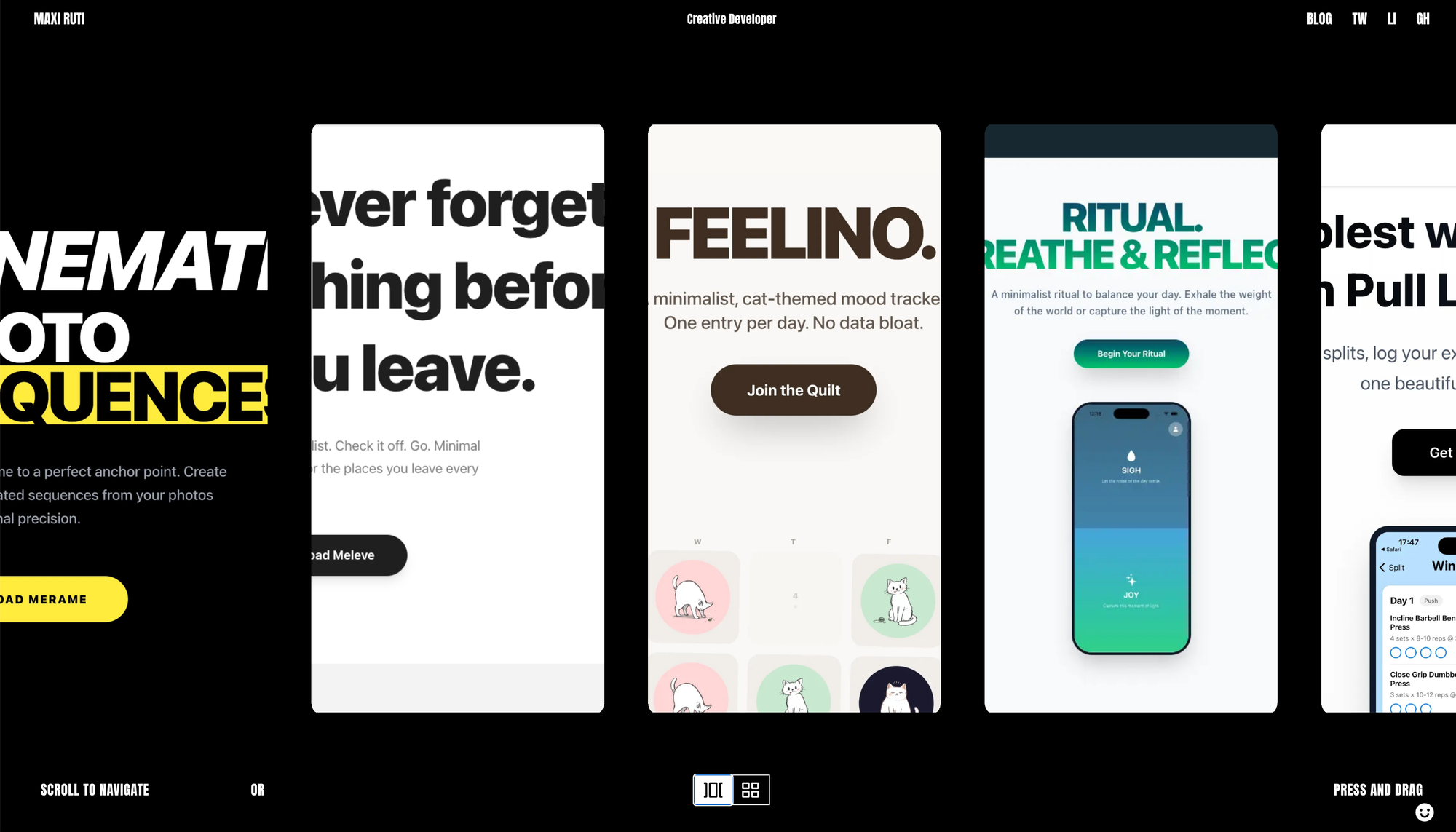
A React Three Fiber Portfolio That’s Fluid
Scroll and the work sloshes. Toggle and a carousel snaps into an alphabetized grid, the whole 3D scene graph rearranging while the DOM shadows it underneath. Maxi Ruti built it in React Three Fiber and wired reduced-motion in from the start, so the ambition ships without the spinner.
The usual way
For years, we've seen heavy WebGL experiences. Beautiful, impressive, technically sophisticated. Portfolios, landing pages, interactive showcases all designed to wow. And they do. People visit, see the animations, the 3D scenes, the physics-informed motion, and think: "How did they build that?"
But there's a cost we don't always appreciate.
Sometimes before the "experience" even starts, you wait. 10-20 seconds. Sometimes more. And honestly, the spinner or loading animation doesn't make it better. Waiting is waiting. A loader is just a loader.
The shift
I still love those sites. I get amazed by them all the time and wonder about the minds behind them. But I also know this: it doesn't matter if you have the fanciest animation in the world if half your audience can't use it. And "can't use it" doesn't just mean technical limitations. It means I'm making a choice to exclude them.
So I rebuilt.
I wanted a portfolio that showed my work the depth, the craft, the technical skill but without the gatekeeping. Something that loaded fast. Something that was beautiful but didn't rely on motion to be functional. Something that respected the browser's prefers-reduced-motion setting from the ground up.
And critically, I wanted to build it the right way. Not add accessibility at the end like a guilt-ridden patch. Make it the foundation.
How I actually did it
Here's what will surprise you the most: it's not hard.
I've been learning GSAP for many years now. It's a well known library so powerful that it looks intimidating at first. But their documentation is exceptional. And they have a dedicated resource on accessible animations written by Cassie Evans that makes everything click.
The core is simple: detect prefers-reduced-motion and respond accordingly. If someone has it enabled, don't run the physics animations. Don't trigger the carousel slosh effect. Don't do the post-processing distortion. Instead, give them a clean, fast, legible layout that loses none of the work and none of the information.
GSAP makes this trivial to implement. And because I built it in from the start not as an afterthought it wasn't an extra burden. It was just how I designed.
The result is that the same site adapts to two completely different user preferences without feeling like a downgrade to either group. Someone with motion sensitivity gets exactly what they need. Someone who enjoys motion gets the full experience. Both are valid ways to experience the work.
The point
Imagine a website with white fonts on a yellow background. You'd immediately think: "That's unreadable." It's so obviously bad that most designers would never ship it.
Now imagine a website that's beautiful and interactive but completely invisible to screen readers. Or a site so animation-heavy that it causes physical discomfort for some users. These aren't as obviously wrong, but they should be.
Accessibility isn't a feature you add at the end to check a box. It's a foundation that makes everything better, faster load times, cleaner code, better performance, and a site that actually works for everyone.
The old way was impressive. The new way is better. And you become the bridge between both worlds.
Read more about accessible animations:
GSAP Accessibility Guide
A React Three Fiber Portfolio That's Fluid
WebGL/WebGPU article
Gsap Accessibility
Accessibility post on Linkedin