Entry #14
2026-08-15
4 min read
Tabs: The app I built to stop procrastinating on reading
The problem I couldn't ignore
I check Safari every few days and see dozens of open tabs. Articles I thought I'd read later. News I meant to catch up on. Links someone sent me that looked interesting.
But I never read them.
Even worse, half the time I can't remember why I opened them in the first place. They just sit there, accumulating like digital clutter, creating mental noise every time I open my browser.
My first solution was to create a WhatsApp group where I was the only member. Every time I found something to read later, I'd send it there. It kind of worked, but most of the time I'd forget I sent it. I'd discover those links weeks later, sitting in a message, no longer relevant.
I was just moving the problem around, not solving it.
Tabs: The real solution
That's when I decided to build Tabs.
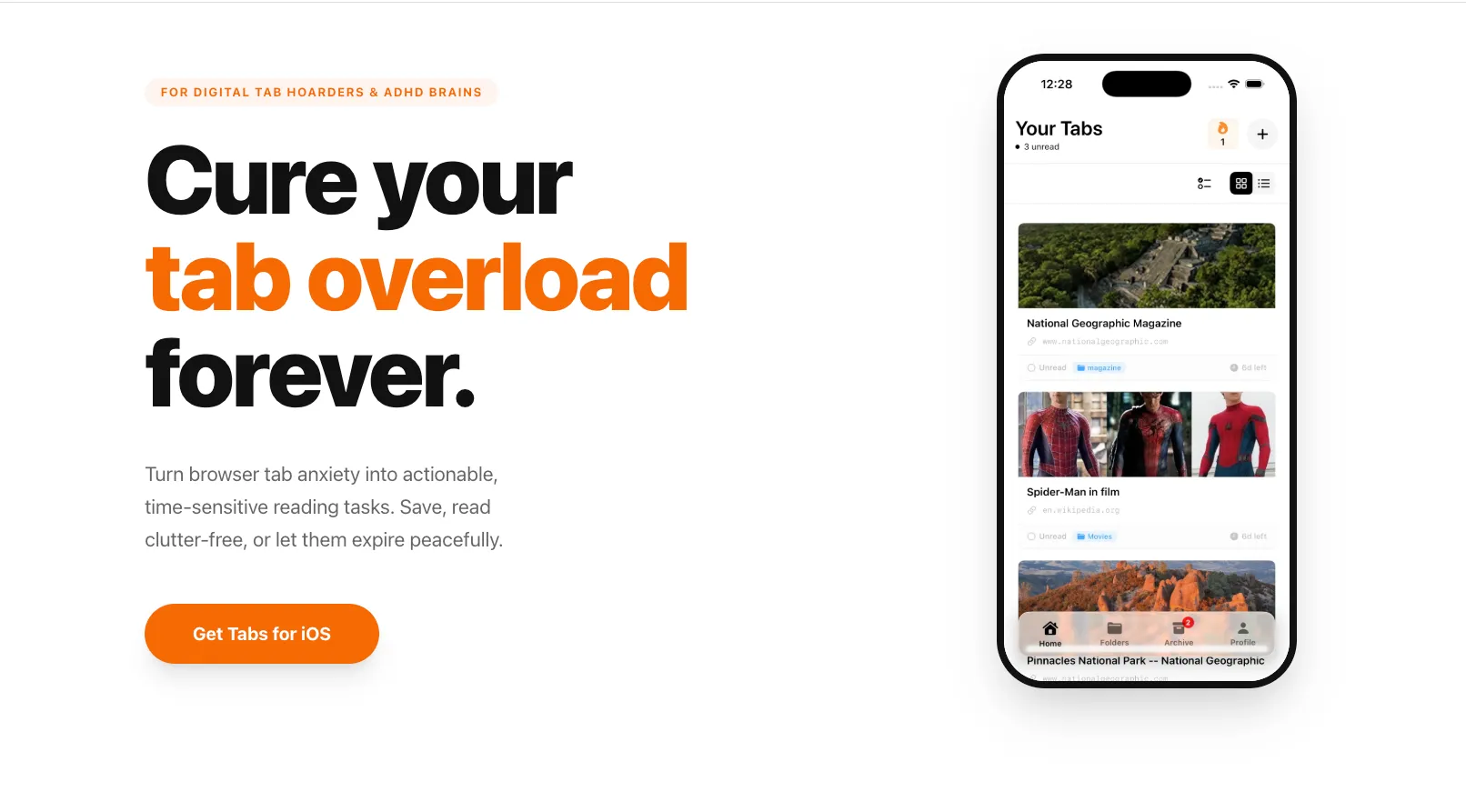
Tabs is an app I've had in mind for a long time, but never had time to build as an MVP. Like my other apps, it solves a problem I actually have. It's built for people like me.
But Tabs isn't just a place to store links. If it was, it wouldn't solve anything, it would just be another tab hoarder in a different format.
Here's what makes it different: every tab you create has an expiration date.
By default, tabs expire in 7 days. You get a notification 1 day before expiration. This creates urgency. It forces a decision: either read this article before time runs out, or let it go.
This is the core philosophy of Tabs. Your tabs won't haunt you forever. You commit to reading them within a window, and that commitment is the whole point.
How it actually works
When you save a tab, you're not just storing a link. You're saying: "I want to read this in the next 7 days."
The app gives you a clean, distraction-free offline reader so you can dive straight into the article without ads, pop-ups, or heavy layouts slowing you down. No wifi required, everything is saved locally.
When you finish reading, the tab goes to your archive. You can organize it with tags or folders if you want to keep it.
But here's the interesting part: if you don't read the tab before it expires, it goes to archive anyway. But it's marked as "expired and unread."
At that point, you have a choice. As a free user, you can restore a maximum of 3 expired tabs per month, and each tab can only be restored once. So you have to decide: is this article worth keeping? Or was the expiration the universe telling you it's not that important?
Premium users get unlimited restores and can customize the expiration window however they want. 1 day, 3 days, 14 days, 30 days, whatever works for your reading habits.
Reading as a habit
But saving tabs is only half the story.
Tabs tracks your reading habit through streaks. A streak isn't about saving tabs, it's about reading them. Read one article each day and your streak stays alive. Miss a day and it breaks. Over time, you can see how many articles you've read each month and each day on a calendar.
It's a simple system, but it transforms reading from a chore into a routine. A habit you actually want to keep.
And because I built this for myself, I know what privacy means: everything stays on your phone. No database. No account required. No data collection. It's just you and your tabs.
Why now?
I'm building Tabs for the Shipathon 2026, RevenueCat's global hackathon. But more importantly, I'm building it because I need it.
You probably do too.
If you're someone who opens tabs "to read later" but never actually reads them, if you feel that mental weight of dozens of unfinished articles sitting in your browser, if you've ever wanted a system that actually forces you to commit instead of endlessly deferring, Tabs is for you.
I'm building this in public. You'll see the progress here on my blog and on Twitter. The app will launch in September, and I'll submit it to Shipathon. But right now, you're watching it happen in real time.
If this resonates with you, follow along. And if you have ideas or feedback as I build, I'd love to hear it.
Download Tabs:
Tabs on the App Store
Follow the Shipathon journey:
Shipathon 2026